
How to Learn Web Development with AI: A Beginner Roadmap for Bangladesh
By Sami Haque, founder of SH Tech Group | Published November 1, 2026 | 8 min read
If you want to learn web development with AI, the fastest path is not to let a chatbot build everything for you. It is to learn the basics well enough to direct, review and fix what AI produces.
This roadmap shows the order to learn things in, where Claude, Gemini and Codex fit, and which projects to practice with. It is written for beginners in Bangladesh who want a skill, freelance work or a career in WordPress and web development.
- Can AI replace learning web development?
- The beginner roadmap at a glance
- Step 1: Learn HTML and CSS first
- Step 2: Learn WordPress, because clients ask for it
- Step 3: Add AI tools such as Claude, Gemini and Codex
- Step 4: Build real projects
- Step 5: Learn how to work with clients
- Common mistakes beginners make when learning with AI
- Where to start in Bangladesh
- Frequently asked questions
Can AI replace learning web development?
No, and beginners who assume it can usually get stuck quickly. AI tools can draft a layout, explain an error message or write a function in seconds. But they cannot see your screen the way a visitor does, and they sometimes produce code that looks right yet breaks on mobile, conflicts with a plugin or ignores basic security.
If you do not understand HTML, CSS and how a WordPress site is put together, you cannot tell whether an answer is correct. You paste code, hope for the best, and lose hours when it fails. Beginners who learn the fundamentals first use the same AI tools far better, because they can describe exactly what they want and spot what is wrong.
So the goal is not AI instead of skills. It is skills plus AI: learn enough to be the person in charge, then use AI to work faster.
The beginner roadmap at a glance
Here is the order that works well for most beginners. Each step builds on the one before it.
HTML and CSS
Learn how a web page is structured and styled.
WordPress
Build real websites with themes, plugins and a page builder.
AI tools
Use Claude, Gemini and Codex to explain, write and debug code.
Real projects
Build sites you can show to clients and employers.
Client work
Learn how freelancers find, win and manage projects.
Step 1: Learn HTML and CSS first
HTML gives a page its structure: headings, paragraphs, links, images, lists, tables and forms. CSS controls how it looks: spacing, colors, fonts, borders and layout. Spend your first weeks here, even if it feels slow.
Focus on a small set of ideas:
- How an HTML page is structured, with headings, links and images
- The CSS box model: margin, padding and border
- Laying out content in rows and columns
- Making a page responsive so it works well on phones
- A framework such as Bootstrap, once the basics make sense
A good practice task is to rebuild a simple one-page website, such as a personal profile or a small business page, without copying it. When something breaks, try to find the cause yourself first. Then ask AI to explain it. That habit builds real understanding.
Step 2: Learn WordPress, because clients ask for it
WordPress is one of the most widely used website platforms, and clients regularly ask freelancers to build, customize or fix WordPress sites. Learning it opens practical work. Cover these topics:
- How domains and hosting work
- Installing WordPress on a local computer and on a live server
- Themes, plugins and page builders such as Elementor
- Building a complete business website from start to finish
- Setting up an online store with WooCommerce, including products and variations
Once a site works, learn why sites become slow and how to speed them up. Speed matters to visitors and to Google, and it is a skill clients pay for. If you want to go deeper later, see the WordPress speed optimization course.
Step 3: Add AI tools such as Claude, Gemini and Codex
Once you can read and edit basic HTML, CSS and WordPress settings, AI becomes a strong assistant. Tools such as Claude, Gemini and Codex can help you:
- Explain an error message in plain language
- Draft a section layout, such as a hero section or a pricing table
- Write or rewrite small pieces of code
- Review your code and suggest fixes
- Write first drafts of website headings and descriptions
Write prompts that give AI enough context
A good prompt includes four things: the context (what you are building and with which tools), the goal, the constraints (for example, mobile friendly and no extra plugins) and the format you want back.
I am building a WordPress homepage with Elementor. Write the HTML and CSS for a hero section with a headline, a short paragraph and two buttons. It must look good on mobile, use a royal blue background with white text, and avoid external libraries. Tell me where to paste each part.
Always review what AI gives you
Before you use any AI-written code, run through this checklist:
- Does it work on both a phone and a desktop?
- Do you understand what each part does?
- Did you test it on a copy of the site, not the live site?
- Did you avoid putting passwords, API keys or customer data in the prompt?
- Is any plugin or snippet it recommends still maintained?
AI can also help once you start freelancing, for example by drafting profile text or outreach messages. Always edit the result so it sounds like you and stays honest.
Learn this step by step, in Bangla
The AI Web Development Course teaches this order: HTML, CSS and WordPress first, then AI-assisted coding with Claude, Gemini and Codex, in 110+ Bangla lessons.
Step 4: Build real projects
Watching lessons is not enough. Projects turn knowledge into skill, and they give you something to show clients. Good first projects are:
- A personal portfolio website
- A business website for a small shop or service
- A WooCommerce store with several products
- Speeding up an existing site and noting what improved
- A custom section, such as a pricing table or contact form, built with help from AI
Document each project: what the goal was, what you built, which problems you hit and how you solved them. This builds your portfolio and sharpens your debugging.
Step 5: Learn how to work with clients
Technical skill is only half of freelancing. Clients also want clear communication, honest timelines and reliable delivery. Learn how to set up a professional profile on platforms such as Fiverr, Upwork and LinkedIn, how to describe your services, how to answer client messages, and how to manage a project from the first message to delivery.
Results depend on your practice, the quality of your work and the market, so treat any promise of fast income with caution.
Common mistakes beginners make when learning with AI
- Copying code without reading it
- Skipping the basics and jumping straight to prompts
- Testing changes on a live website instead of a backup copy
- Not checking the result on a mobile phone
- Trusting every plugin or snippet AI suggests
- Giving up on debugging too early. Reading the error message is a skill
Where to start in Bangladesh
You can learn many of these topics from free tutorials, and that is a fine way to begin. The challenge is order and context. It is easy to jump between videos and never finish a project. A structured course gives you a clear path and projects to complete.
The AI web development course in Bangladesh from Learn With Sami follows the roadmap in this article. It has 17 modules and 110+ lessons taught in Bangla, with more than 50 hours of video. You learn HTML, CSS and Bootstrap, WordPress from basic to advanced, a live WordPress project, an eCommerce project, website speed optimization, and AI in web development with Claude, Codex and Gemini. The AI lessons cover prompt engineering, AI agents inside a code editor, debugging with AI and building projects with AI help.
You can see every module in the course curriculum, and read the student success stories to see what learners share. To compare options, browse all courses.
Frequently asked questions
Do I need coding experience to learn web development with AI?
No. Start with HTML and CSS, then WordPress. AI tools become useful as you understand the basics. The AI Web Development Course starts from zero and does not require prior coding experience.
Which AI tool should a beginner start with?
Pick one and learn it well before comparing. Claude, Gemini and Codex can all help with code. What matters more is how clearly you write your prompts and how carefully you review the results.
Can I learn web development with AI for free?
Partly. Many tutorials are free. What a course adds is a clear order to learn things in, finished projects and guidance, which saves time if you want to move faster.
Is the AI Web Development Course taught in Bangla?
Yes. The video lessons are taught in Bangla.
Will AI take web developers’ jobs?
Nobody can say for certain. AI is changing how developers work, but people who understand websites and can use AI tools well are in a stronger position than people who rely on AI without understanding the output.

Sami Haque
Sami Haque is a web developer, freelancer and entrepreneur who has worked in the IT industry since 2019 and founded SH Tech Group. He teaches practical web development and AI in Bangla at Learn With Sami.
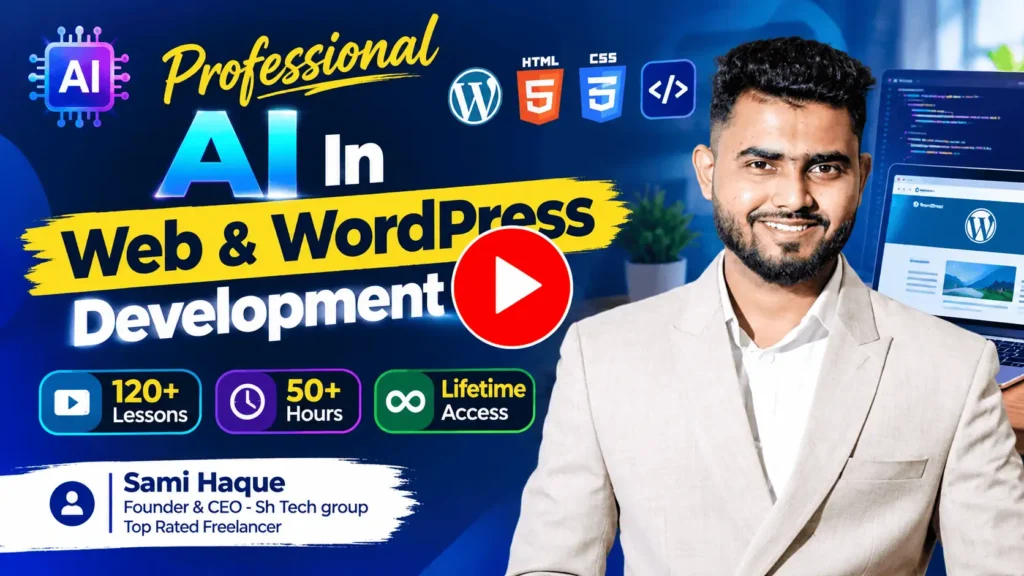
Start learning web development with AI
Follow this roadmap with step-by-step Bangla lessons: 17 modules, 110+ lessons and 50+ hours covering HTML, WordPress, eCommerce, AI tools and client work.